Kon Boot For Windows 8
4. YUMI
Kon-Boot Free Download Latest Version for Windows. It is full offline installer standalone setup of Kon-Boot Password Recovery software for 32/64 bit PC. Kon-Boot Overview. Kon Boot is a password recovery tool that can perform the resetting of password operation very easily. Kon-Boot has been around a while and updates have brought new features such as privilege escalation and the sticky keys workaround while adding compatibility for more recent operating systems such as Windows 8, 64-bit architecture and UEFI support. Kon-Boot now is able to bypass online account authorization on Windows 8/8.1. On Windows 10 only local account authorization bypass is available (with possibility to add new administrator account automatically (USB only)).
YUMI is created by the same author as Universal USB Installer which is why they both share very similar graphical user interface. The only difference is YUMI allows you to create a bootable USB flash drive with multiple distributions. The steps to create a Kon Boot USB are exactly the same as Universal USB Installer.
However when booting up a USB drive created by YUMI, you will first see a boot menu. Select “Other Operating Systems and Tools” -> followed by Konboot and finally select “Boot Konboot” from the menu. Kon-Boot will now run and then you will be brought back to YUMI’s boot menu. Now you can select “Continue to Boot from First HD (default)” to boot up Windows and login to any user account without a password.
Download YUMI
5. Kon-Boot USB Installer
Though the center gameplay stays quite much the equal! There’s more than enough new content and stepped forward movement to make this zombie apocalypse relatively recommendable. Left 4 dead 2 demo. Still, Left 4 Dead 2 game is exceptional enjoyed with friends, each mode is seamlessly integrated online.
This fifth method would most probably work for you if all of the above fails because it uses a different bootloader called GRUB. This Kon-Boot USB installer script is actually the official script provided by the author of Kon-Boot for their paid customers except it is packaged with the FREE version 1.1 and not the paid versions 2.0 or 2.1.
To use it, download the installer from the link below and extract to a new folder. Plug in your USB flash drive to the computer and format it as FAT32 file system. Right click on usb_install_RUNASADMIN.bat file and select “Run as administrator”. You should see a Kon-Boot USB Installer window with the information of your USB drive.
Confirm that your USB flash drive is correctly detected and finally click OK to start installing Kon-Boot to your USB flash drive.
Download Kon-Boot USB Installer
6. Hiren’s BootCD
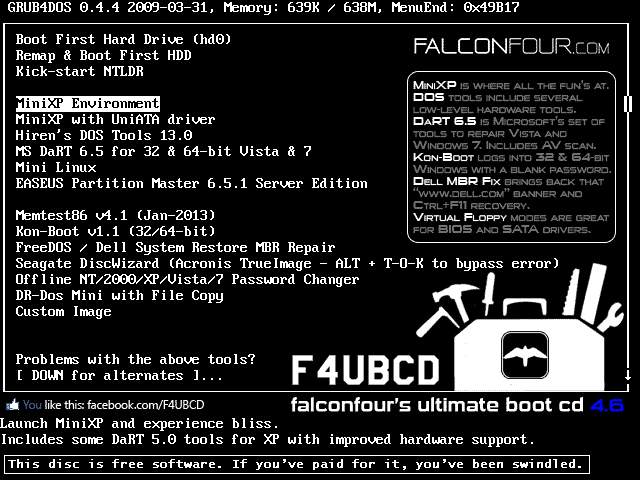
Hiren’s BootCD is the king of all boot discs containing tons of utilities including Kon-Boot which are very useful to computer technicians, enthusiasts and engineers. Hiren’s BootCD comes as an ISO image which is meant to be burned to a disc but it can also be installed to a USB flash drive using the correct tools, or else some of the utilities will not run properly.
You can either use Universal USB Installer or YUMI which was mentioned earlier to install Hiren’s BootCD on to USB pen stick and then boot it up. At the Hiren’s BootCD menu, simply select Kon-Boot from the list.
Download Hiren’s BootCD
Additional Notes: Although Kon-Boot’s official website stated that the free version doesn’t support Windows 7, we have successfully tested it on Windows 7 Ultimate 32-bit without problems, but as expected it fails on 64-bit. Another issue we found when testing Kon-Boot USB on Windows XP is only methods #5 and #6 work properly while the rest simply crashes the XP operating system. Looks like GRUB boot loader has better support for Kon-Boot compared to Syslinux.
We’ve also tested the free Kon-Boot on Windows 8 but it didn’t work as it kept on going into automatic repair mode. The latest paid version 2.2 supports Windows 8, comes with a sticky keys feature to launch a command prompt with system privilege before logging in to Windows and support EFI from USB.
‹ Previous12 View All You might also like:
3 Ways to Install and Run Kaspersky Rescue Disk from USB Flash DriveHow To Easily Put Hiren’s BootCD on to USB Pen StickCreate a Live Linux on USB Flash Drive with built in VirtualBoxBoot your Computer From USB Even If the BIOS Doesn’t Support itBoot an ISO directly from the Windows Boot ManagerI’ve had issues when trying to make a bootable USB drive with Konboot using the “make USB” tool that they provide with the tool. I got it working using ‘Sardu” and/or XBoot to make it :) Hope this helps :)
ReplyI tried all methods are written here. But, still I can’t boot in kon-boot. Its saying “ERROR loading operating system”. Can anyone help me?
ReplyToday I paid $15.99 for usb download, but it’s not working on the pc. I’ve tried entering a new dummy password – doesn’t work. I’ve held down the F11 (boot) key and selected “usb” but that doesn’t work either. I downloaded konboot to 2 different USBs … neither works. Any ideas?
ReplyAre you saying you see the Windows logon screen but it won’t bypass the password or you don’t even get so far as seeing the Kon-Boot screen?
Also, if you just paid for the software you get support from the developer for a short period of time, might as well use it and also direct any issues there as well.
ReplyI am getting this error while booting through unetbootin – pkzip file uses invalid method. Please help.
ReplyCan you still use your own USB stick after using it for kon-boot?
 Reply
ReplyYes, you certainly can. Just format it again.
Replythanks for the guide.
Replythanks!!!!!!! works perfect!!!!!!! thanks again!
ReplyThanks Great tool
ReplyIt’s work For XP and VISTA .Your’s Great!!!!! Raymond
Thanks
thanks raymond, my netbook work normal again.
ReplyI’ll try it right now for a friend who has been victim of a bad joke. However, if “ABC Formation, 2001” tells you about something, don’t hesitate and e-mail me!
Thanks for all, good job.
thanks buddy
ReplyHad for waiting for this article. Thanks Raymond. You’re the best
ReplyThanks Ray for hearing our prayers
ReplyThanks Raymond, very nice tip.
Replythanks ray! awesome post! :)
Replyworking here with out any glitch.
Kon Boot For Windows 8
ReplyWow, I was actually expecting you to pursue this subject (Kon-Boot to USB, as others have been asking for), Raymond. Thank you!
ReplyThanks Ray for another great post!
Replyi believe this should be possible some day! awesome
thanks Raymond
yay ray thanks finally i can use kon-boot to usb…using a CD for such a small file is a complete waste and for a floppy.no one knows whether its gonna work the next second
ReplyI saw some debate regarding Kon-Boot to USB, many were wondering how. Thanks for lighting the path to it.
Replythanks in advance.
ReplyKon Boot For Windows 8 1
Its brilliant Raymond
Replygreat ray.
Reply
thanks ray for your info
Reply